
Data entry has two aspects:-
When the last process line on a job order is completed, the finalised quantities of the product produced (e.g printed garments) gets recorded
Data Entry is thus an essential activity.
This topic will instruct you how to undertake Data Entry in strokeone, both when a process finished, and when the final process finishes..
Procedure A: Recording the Numbers successfully processed by the process Line
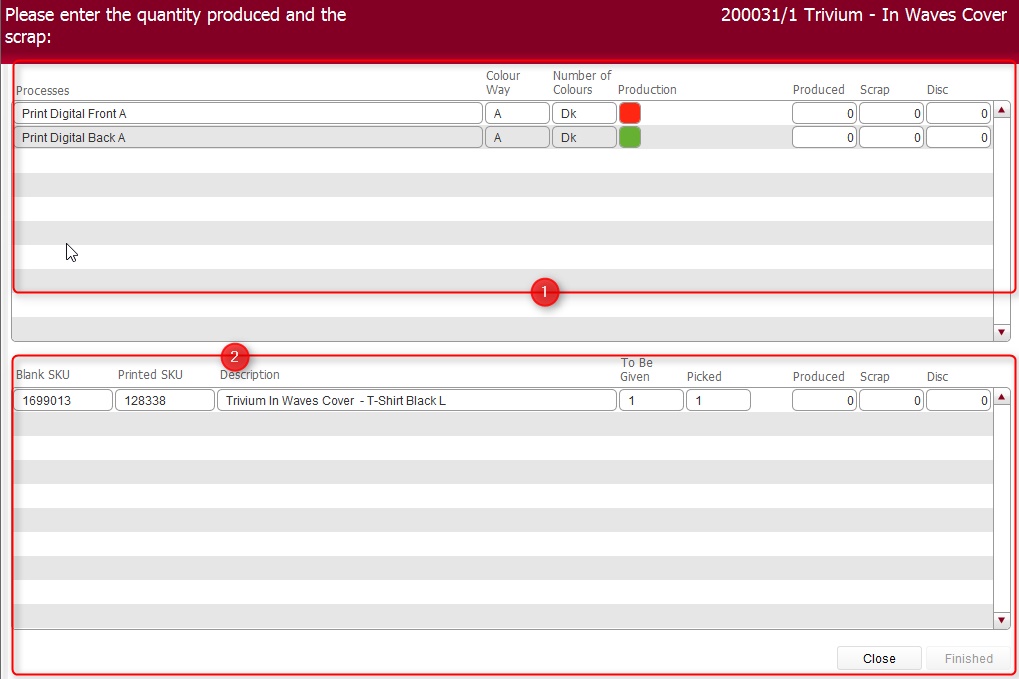
(Note: In the below sections/text, the numbers in (bold parenthesis) refer to the annotations in the above screen-shot)
Take a moment to familiarise yourself with
the form.

You can determine you are the final completed process line by two factors
-
The Production icon for all process lines in the top section (1) will be Green.
The Finish button in the bottom section (2) will be enabled.
If
you are not the final completed process,
close the form by clicking Close
If
you are the final completed process then
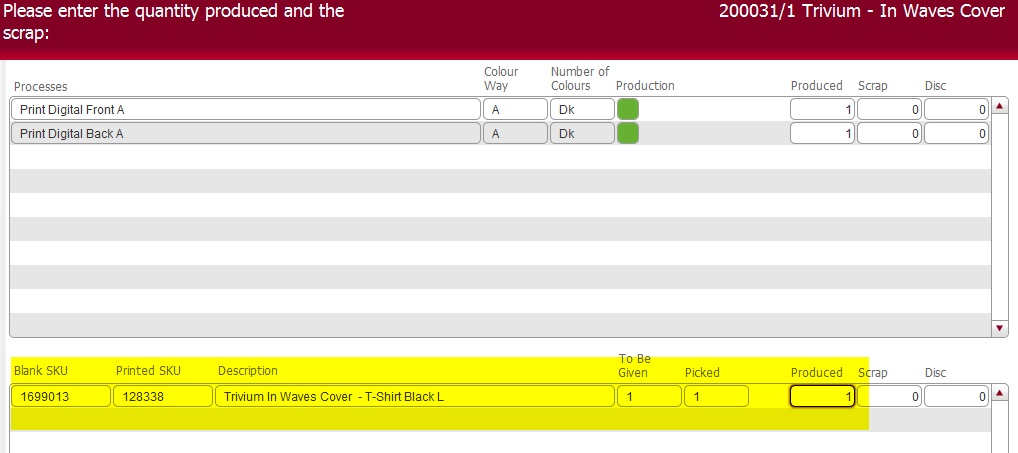
must record the final physical produced output for the whole job by
proceeding to Procedure B
Procedure B: Recording the Physical Numbers of Item Produced
As you are the final process line to complete,.you
must record the final amount of the product that was successfully physically
produced.
This is the physical quantity of the product that gets booked into printed
stock, get used for invoicing and fulfilment so it is an essential process
both in terms of completion and accuracy of recording.
It is important to understand that the quantity of printed SKU's produced
is not always the same as the number successfully produced for a process
line.
(For example, you may have a job order that was for 100 prints on the front
and 100 on the back. The front may successfully print 100, whereas the
back might only successfully print 95.
The maximum that can therefore be recorded in the Printed SKU section (2) therefore can be 95)
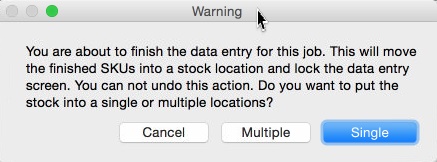
Click Single
In the resultant Location picker - select the location where you are placing the printed goods