How to Extract Files from a container field
Abstract
In numerous locations within strokeone,
information is stored in container fields.
Files within these container fields are persisted on the FileMaker server and can then be accessed
by any user of strokeone.
There can be occasions when you want to extract these files locally
to your computer to edit or otherwise use in other applications.
This topic outlines how you can do this.
Procedure
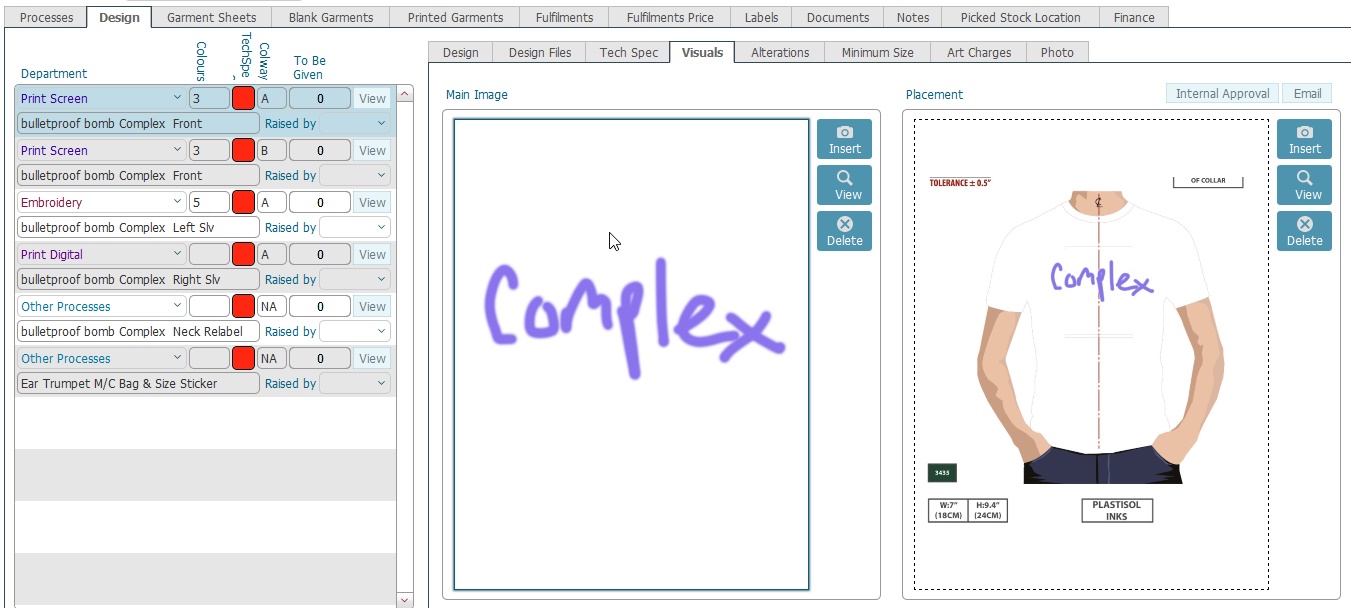
- Ensure that you have activated the container pane, by clicking
the View button for the corresponding
parent record on the left.
- The container field will
show the file icon, or potentially the graphical content of the file.
If there are several container fields for the record, ensure you click
to select the required one.
- There are several ways of extracting the contained content file:-
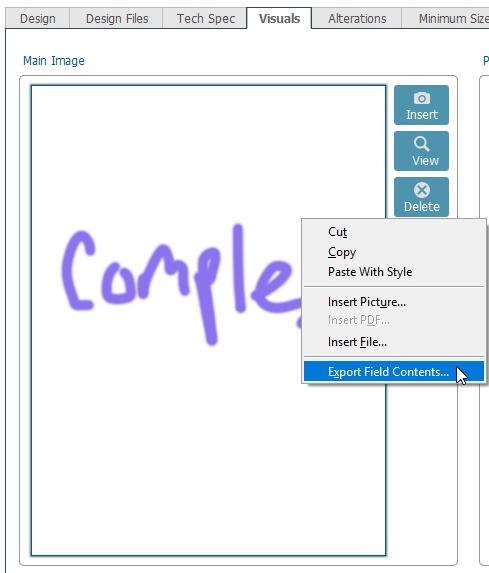
- Method 1: Export the contents
Right Click the file icon/pic in the container field, and from
the right click menu select Export
field contents
- Method 2: Opening the content
and then Save As locally
Click the View button to
the right of the container field.
The file will open on your computer in the application associated
to that content type
From within the application, save
as to save the file locally to your computer.
- Method
3: use the download button
Development Needed: Add a download button to allow saving to local
computer