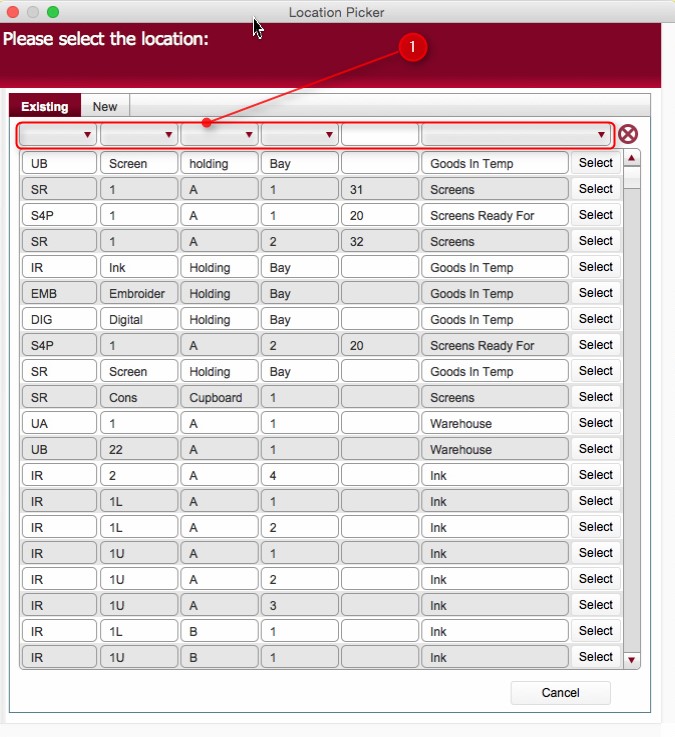
These fields are from left to right:-
- Warehouse
- Row
- Bay
- Shelf
- Capacity
- Type
(If you need to create a new location, you can create one per below)
Tip: Click on the
 icon to reset the filters if needed
.
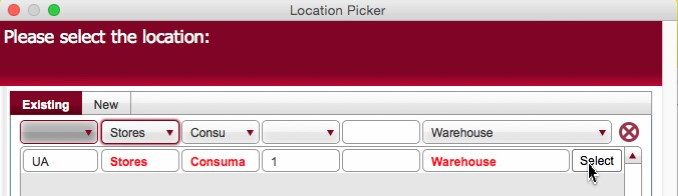
The Location Picker dialog functions in a very similar fashion to the Contact and Venue picker dialogs.
It has two main functions
1: Allows the selection of a location
icon to reset the filters if needed
2: Allows the creation of a New Location
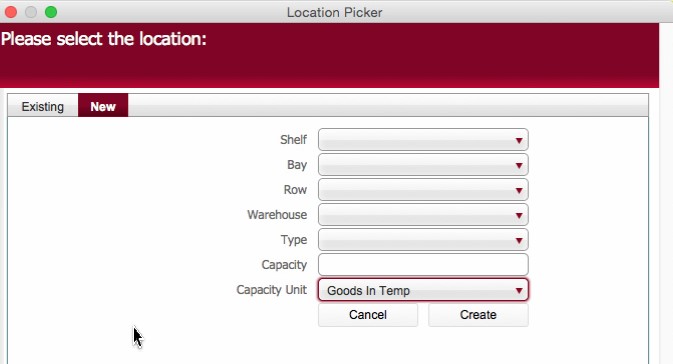
The created location can now be used in the Location Picker dialog.