Field |
Instructions |
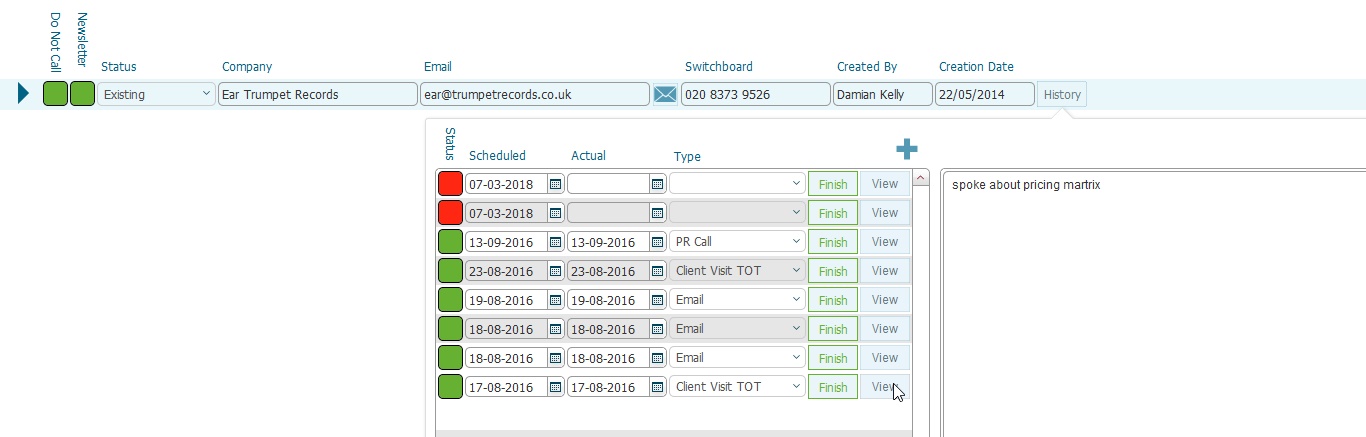
Status Light |
An indicator to show whether the call record has been completed or not, |
Scheduled |
The date of when the call to the prospect should occur |
Actual |
The date of when the scheduled call to the prospect occurred. This is set when the finish button is clicked |
Type |
The Type of the Call to the prospect |
Finish button |
An action button that should be clicked when a scheduled call has been placed. Clicking this will - Set the status field to complete - Set the Actual Date to be = Today() |
View button |
Will open the right hand pane to display text comments that were input in respect to the call |