What are prospects?
Prospects are potential clients.
That is they are companies that may have a future use for your services, but for various reasons do not currently use them.
Prospects should be actively monitored and managed as a means to:--
generate increased market growth and sales revenue,
understand why a competitor's services are chosen in preference to those offered by TOT Shirts Limited
monitor industry trends
(Note: for this topic certain field values have been deliberately obscured in the screen-shots)
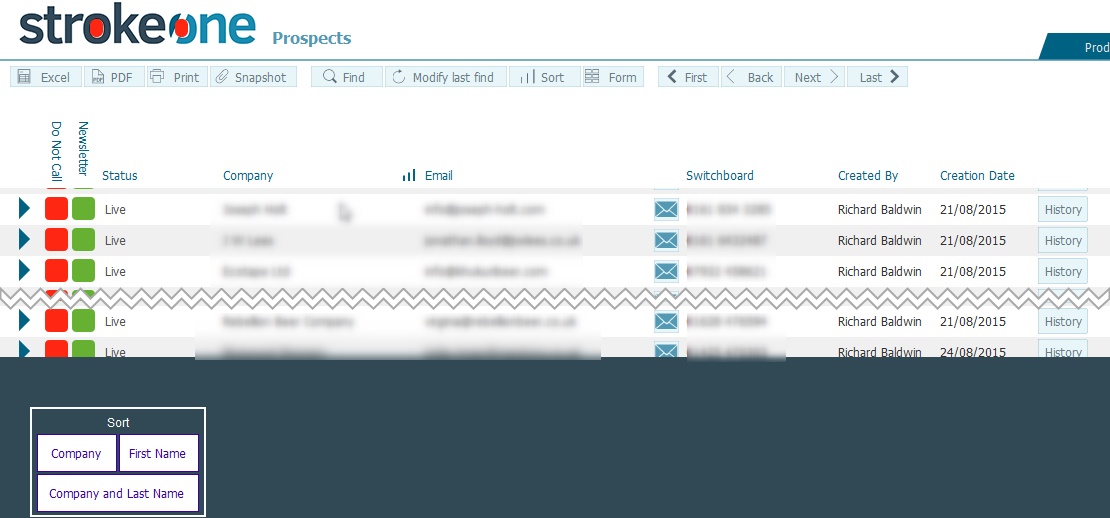
Ensure that you have logged onto strokeone, and that you can see and access the client button in strokeone home banner.
Field |
Instructions |
Do Not Call |
A toggle field to indicate whether the client should be contacted or not. |
Newsletter |
A toggle field to indicate whether the client should receive a newsletter, |
Status |
A drop-down field denoting the whether the prospect is active (live) or inactive (dead) |
Company |
Manual text field recording the Company name for the prospect. |
The primary email address for the contact |
|
Email icon |
Clicking on this icon will cause a draft email to be created to address recorded in Email field. |
Switchboard |
Field to record the primary telephone number for the prospect company. |
Created By |
The username of the user who created the prospect record |
Creation Date |
Timestamp of when the prospect record was created. |
History button |
Navigates the user to the History Screen for the Prospect. |
You can perform the following actions from within this layout.
View the Detailed record for a Prospect
View the Call History of a Prospect