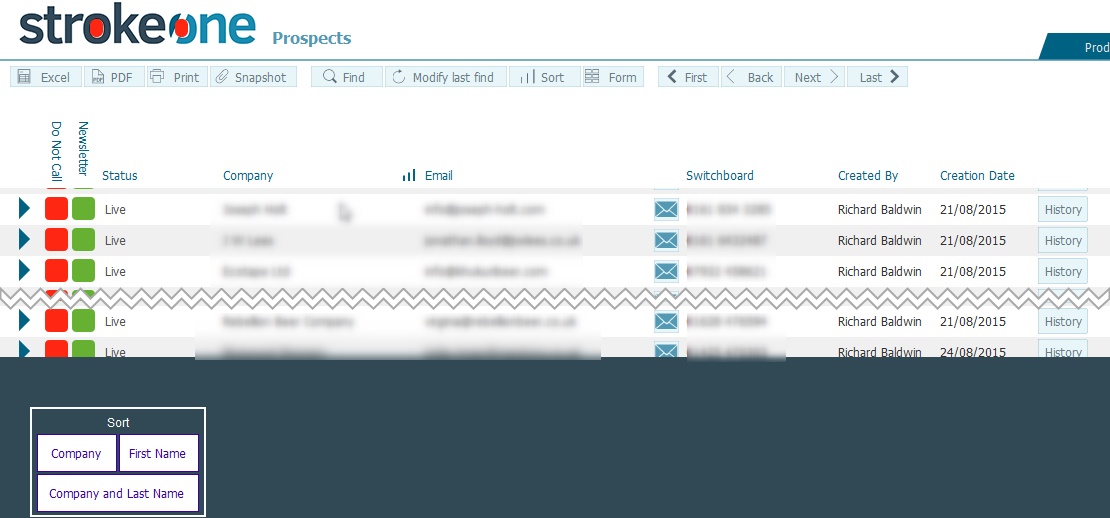
| Field |
Instructions |
| Do Not Call |
A toggle field
to indicate whether the client should be contacted or not. |
| Newsletter |
A toggle field
to indicate whether the client should receive a newsletter, |
| Status |
A drop-down field
denoting whether the prospect is active (live) or inactive (dead) |
| Company |
Manual text field
recording the Company name for the prospect.. |
| Email |
The primary email
address for the contact |
| Switchboard |
Field to record
the primary telephone number for the prospect company. |
| Created By |
The username
of the user who created
the prospect record - This automatically populates when a
prospect is created |
| Creation Date |
Timestamp of
when the prospect record was created. - This automatically
populates when a prospect is created |
| History button |
Navigates the
user to the Call History
Screen for the Prospect. |