How to mark a prospect as dead
Prerequisites
Ensure that you have opened the prospect
list view
Procedure
- In The Prospects List layout
identify the prospect that you wish to update the Status
for.
- For the Prospect identified
in step 1) click on the corresponding Status
field and select the value "Dead"
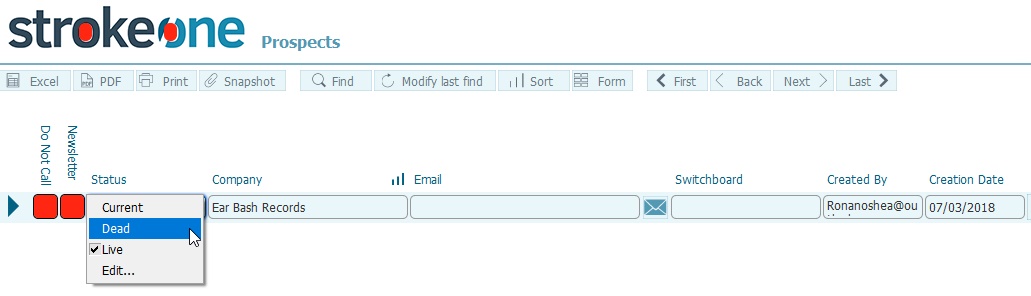
Results
The status
for the selected Prospect is updated from Live
--> Dead
Note:
Updating the status back to Live
is simply a matter of reversing the value selected in step 2)
Related
Topics
How to view prospects