Essentially, the found-set of digital print processes can be filtered down by two dimensions - the machine name that the digital print process is scheduled to be printed on or the date on which the process is scheduled to occur..
The digital print module provides access to a digital print process layout which outlines those jobs which have digital print process lines attached to them.
There are numerous digital print layouts. They are functionally identical, with the only difference being they may show a sub-set of the data based on a particular criteria - for example, show only print processes for a specific machine name or for a specific date required
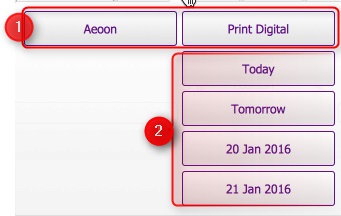
When you access the Digital Print module from the home banner, you are presented with a series of buttons which represent the differing sub-sets of the data.
Essentially, the found-set of digital print processes can be filtered down by two dimensions - the machine name that the digital print process is scheduled to be printed on or the date on which the process is scheduled to occur..
Related Topics