The following data model is used within strokeone with regards to Delivery Details used on fulfilments
Fulfilment
A fulfilment may have one or more deliveries. That is, the products which constitute the whole fulfilment may despatched over several deliveries to various locations.
Delivery
A delivery therefore represents the despatch of goods from a fulfilment to a single location for a specific date, to a designated recipient.
Each delivery on a fulfilment has a unique Delivery Number
Recipient
This is the person to whom the delivery is addressed to.
There can be one recipient per Delivery.
The recipient of a delivery may not be an employee of the company whom the delivery is on behalf of
For example, the recipient might be a freelance worker who will receive the delivery.
Delivery Address
This is the address of where the delivery is despatched.
Again, there is one delivery address per delivery
Company
A company is the entity which the delivery is being made on behalf of. They may request the delivery be made to their company address or to an alternate venue.
Company Contact
A company contact is an employee of a company.
Relationship between Recipient, Company and Company Contact.
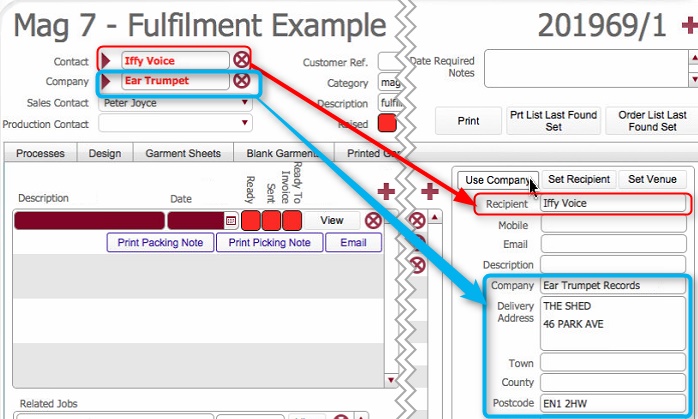
When you automatically populate delivery details, with the Use Company Details, the following occurs:-
Recipient is set as the Company Contact whom is recorded on the job order.
Delivery address is populated with the Company's recorded address details
Note: If the intended recipient is not an employee of the company, the recipient field will need to be updated.
To provide flexibility to support freelance workers, who will be acting as recipients, strokeone allows you to set up Venue recipients.
Venue recipients are stored with a 1:1 relationship with a Company, but crucially
A Venue recipient record can be created for each company that the recipient has a freelance relationship with.
An example will help clarify this.
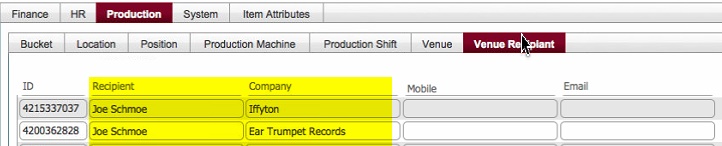
Consider a freelancer called Joe Schmoe who has freelance relationship with two companies Ear Trumpet Records and IffyTon
Joe Schmoe gets created as a Venue Recipient for both companies
e.g.:-
Now, consider a delivery where Iffy Voice at Ear Trumpet records placed the job order, but where the delivery is being set to Joe Schmoe as a recipient
In this instance, you can use the Set Recipient button
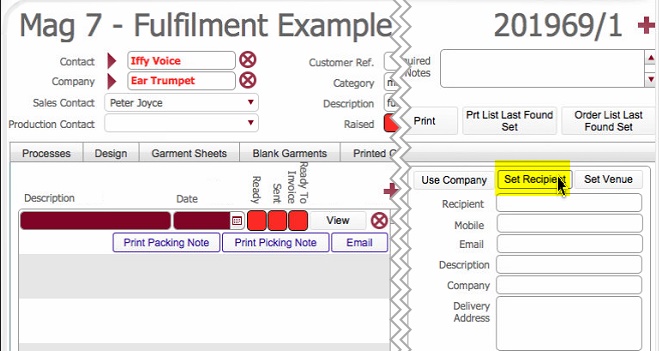
which will invoke the venue recipient picker dialog which will only show recipient records for the Company -(Ear Trumpet Records) in this case
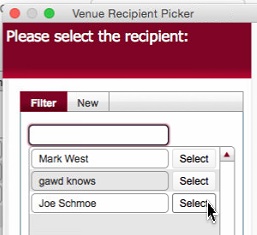
The same situation would occur if you were working on a fulfilment for IffyTon records
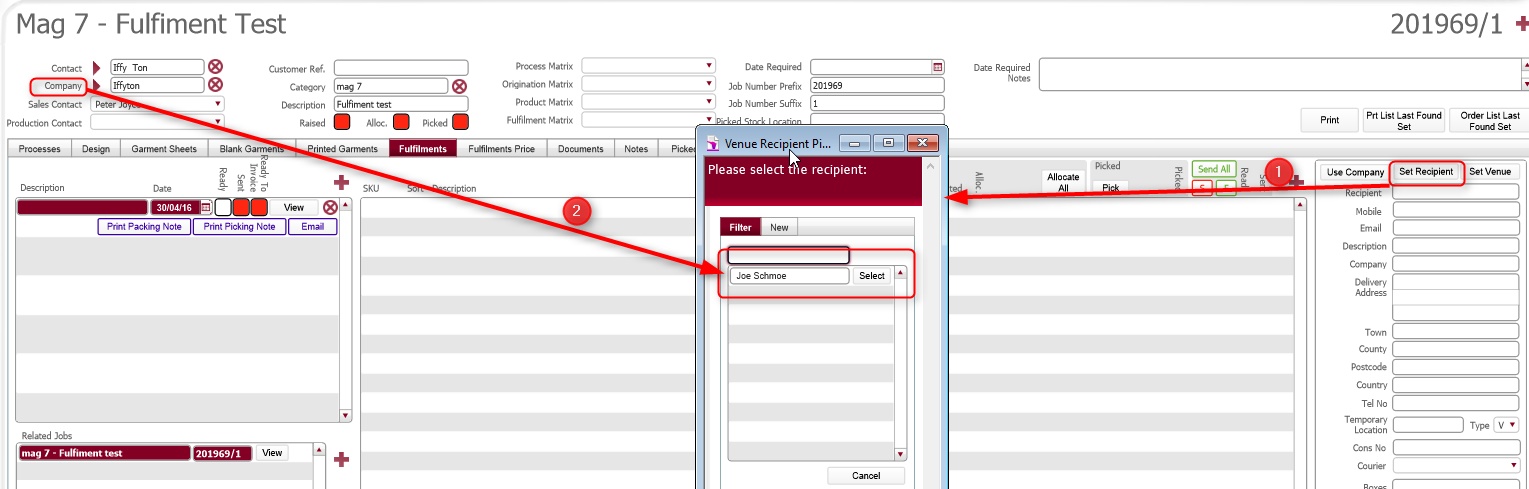
Pressing Set Recipient button (1) would invoke the venue recipient record, which contains venue recipient records where the company value matches Company on the Job Order (2)