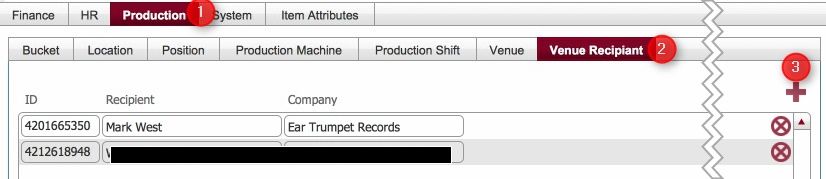
Any existing venue recipient records are displayed.
|
Field |
Comment |
|
ID |
Automatically generated system reference. |
| Recipient | The name of the recipient. |
| Company | The name of the Company that the recipient works for. |
Venue Recipient records are used throughout strokeone (e.g. selecting in the Venue Picker on Fulfilments, and Purchase Orders) to define regularly used recipients for despatching products to.
This topic outlines the steps necessary to create Venue Recipient records that can be used within strokeone.
Ensure that you have logged onto strokeone, and that you can see and access the Settings button in strokeone's home banner.
|
Field |
Comment |
|
ID |
Automatically generated system reference. |
| Recipient | The name of the recipient. |
| Company | The name of the Company that the recipient works for. |
Note: Venue Recipient Records can also be created directly in the Venue Recipient Dialog form. When they are, they are stored in this table.
Related Topics