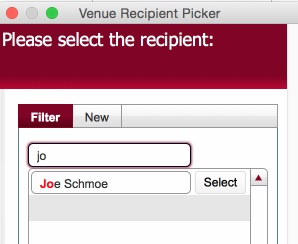
The Venue Recipient Picker dialog functions in a very similar fashion to the Venue picker dialog.
It has two main functions :-
1: Allows the selection of a recipient for a venue
Note: Venue Recipient records are stored with a Company Value, and similarly can be selected only where the Company Value for the recipient matches the Company for the job order. See Understanding Fulfilment Delivery Address Details for more details.
2: Allows the creation of a New Venue Recipient
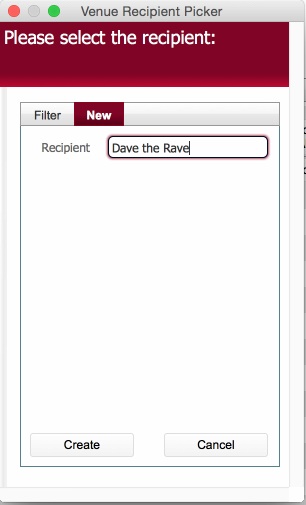
The created venue recipient can then be searched for.
Note: Venue Recipient records are stored with a Company Value, and similarly can be selected only where the Company Value for the recipient matches the Company for the job order. See Understanding Fulfilment Delivery Address Details for more details.
Note: Records added in this dialog are stored, and can be edited in the Venue Recipient table.
Related Topics
Creating Venue Recipient Records
Understanding Fulfilment Delivery Address Details