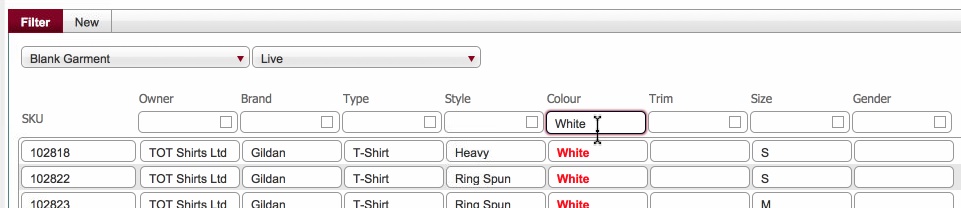
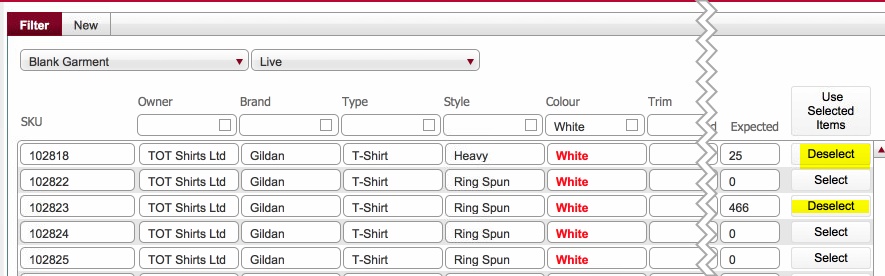
Note When you select an item, the button label toggles from Select to Deselect. If you accidentally select an item, click the button again to deselect.
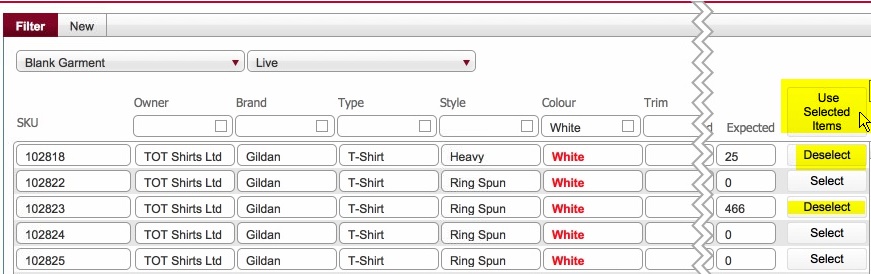
This will apply the selected items.
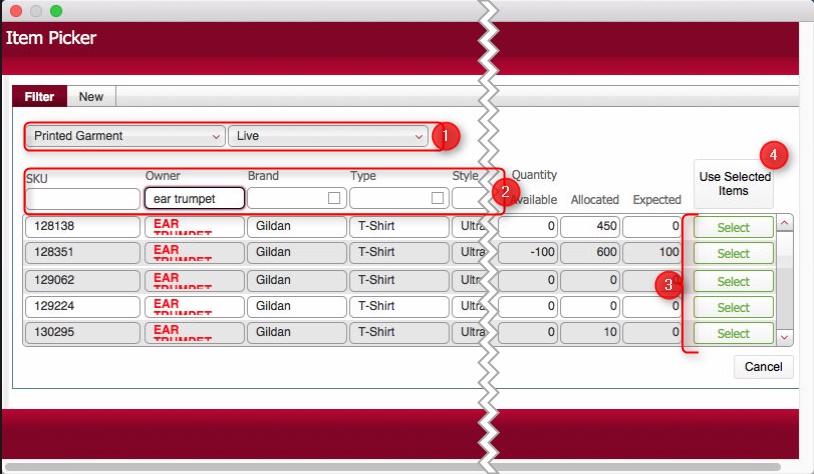
The Item Picker dialog functions in a very similar fashion to the Location picker dialogs.
It has two main functions
1: Allows the selection of one or more items
2: Allows the creation of one or more New Stock Line items "on the fly"
Depending on the product type selected in step 2), a series
of attributes will be shown (2)
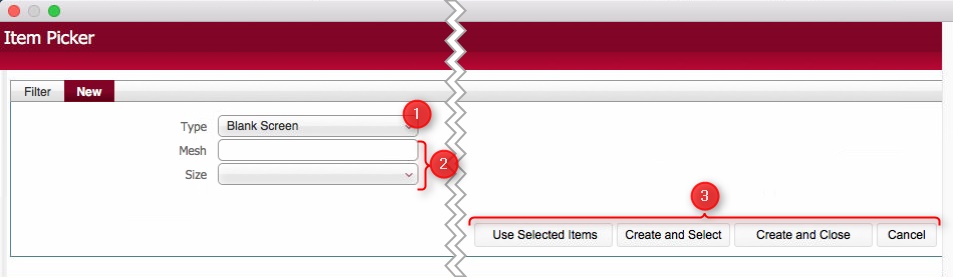
Populate the attribute values as required - see How
to create a stock line item for guidance.
You then have some further choices to make as to how to treat the item you have just created:-
Clicking Cancel to close the form without creating the item - i.e. abandon the creation of the item without saving it..
Clicking Create and Close will create the item, select it, and apply it as selected in the layout you originated from.
Clicking Create and Select, will create the item, select it, but keep the New tab open. You can therefore use this function when you want to create several items and select each one of them for usage in Filter pane, without having to navigate between the Filter tab and the New tab.
Lastly, selecting Use Selected items will cause each of the items that are marked as Selected in the Filter tab to be applied to the layout that you originated into the Item picker dialog from.