Recording Job Line Mistakes
TBC: This needs to be reviewed as I interpreted much of this without
briefing **
Background
Should any mistakes occur during a process line on a job order, these
can be recorded. Recording these provides the following benefits:-
- Aides the identification of working practices that may need improvement
/ amendment
- Aides identification of any areas where training is required
- Adds to the knowledge base of real job related pitfalls and experience
that all staff members can access and benefit from.
- Provides metrics for monitoring problems
- AN Other ???
About this task
This topic will instruct you how to record a mistake against a process
line in strokeone.
Prerequisites
Ensure that you have opened the process layout for the production process
where the mistake occurred.
For the purposes of simplicity of screen-capture, this topic will assume
the mistake is being recorded on a screen print process, but be aware
that the process is identical for Digital Print, Embroidery, Heat Press
and Other processes.
Procedure
- Open the layout which corresponds to the process line where the
mistake occurred.
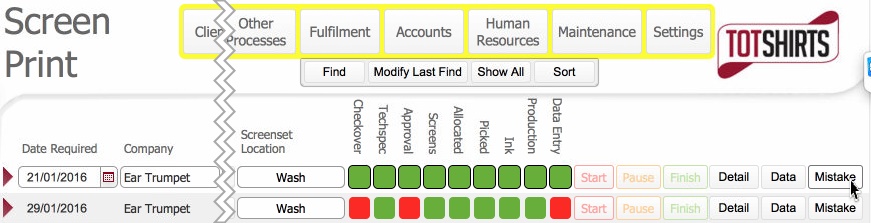
- Locate the process line record.
- Click the Mistakes button
for the record identified in step 2)
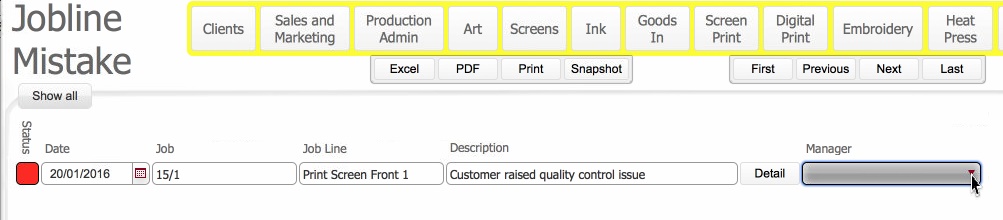
- The Job Line Mistake layout
opens: -
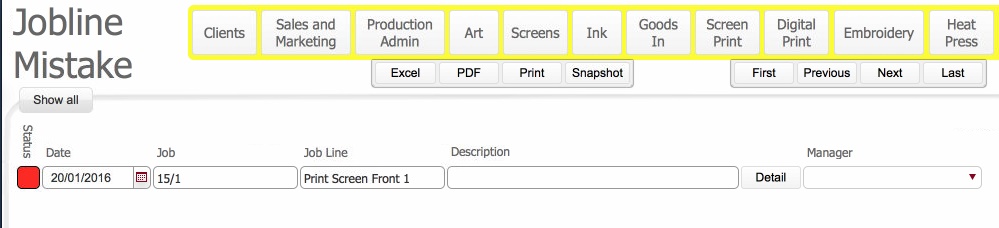
The layout has some data fields already pre-populated.
- Date: set as the date the Mistakes button was clicked to create
the record.
- Job: The order number associated with the process line record
selected in step 2)
- Job Line: A concatenation of the Process and Position fields
taken from the process line selected in step 2)
- In the Description field
enter a highlight / summary of the mistake.
- Click the Detail button
to open a pop up window.
- In the Notes tab, you can
record in the text portal, details of the mistake.
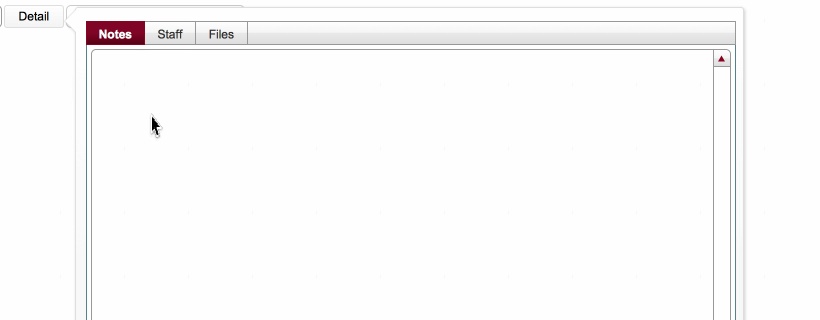
- In the Staff tab, you can
click the new
record icon

which will invoke the Staff
Picker dialog.
- In the Staff Picker dialog,
Select the staff member name
to record against the incident.
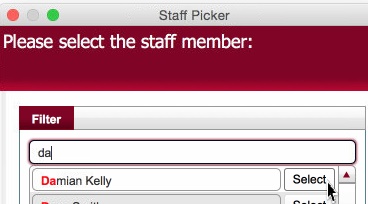
- The selected staff member is added into the Staff
tab.
- Repeat Step 8) to 10) should you need to record multiple staff
members
Note: For each staff member
selected, an entry will be made into the Mistakes tab of their Staff
Detail Record.
- In the Files tab, you can
click on the new
record icon to activate the portal
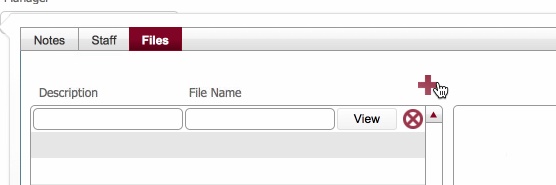
- Enter a Description of
the file, and click View
- This activates the container portal to the right.
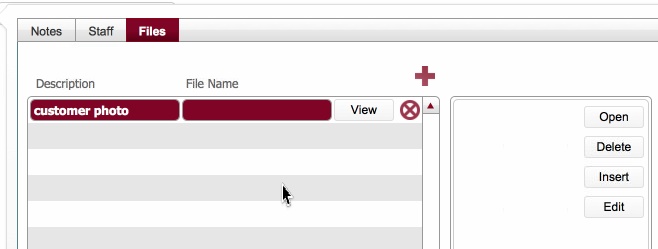
- Click on Insert to navigate to and select a file to add to the
container portal.
See How
to Insert a File into a container field for a worked example of
this.
- Repeat Steps 12) to 15) if you need to add multiple files.
- Click off the pop-up window to return to main Job mistakes layout.
- Click the Manager drop down field to record the manager associated
with where the error occurred for this process line.
Related Topics
TBC: to be added when this topic is reviewed.