Creating Shift Pattern Values
Overview
Values added here are selectable for production shifts in the resource allocation records for a process line.
About this Topic
This topic outlines the steps necessary to create shift values that can be then used when scheduling process line tasks in strokeone.
Prerequisites
Ensure that you have logged onto strokeone, and that you can see and access the Settings button in strokeone's home banner.
Procedure
- From the home banner, click the Settings and then System Preferences buttons.
- In the Preferences layout, ensure you click the Production tab, and from within that, the Production Shift tab.
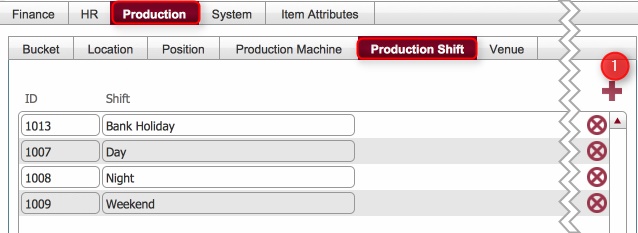
- Any existing production shift pattern records are displayed.
- To create a new value, click the new record icon (1)
- A new blank shift pattern record is inserted.
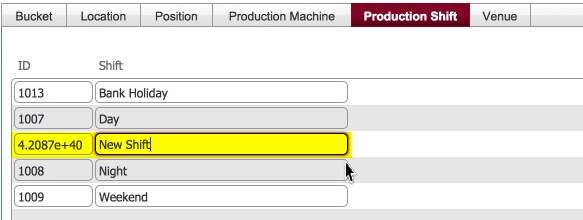
- Populate the Shift value - that is change it from New Shift to an applicable value.
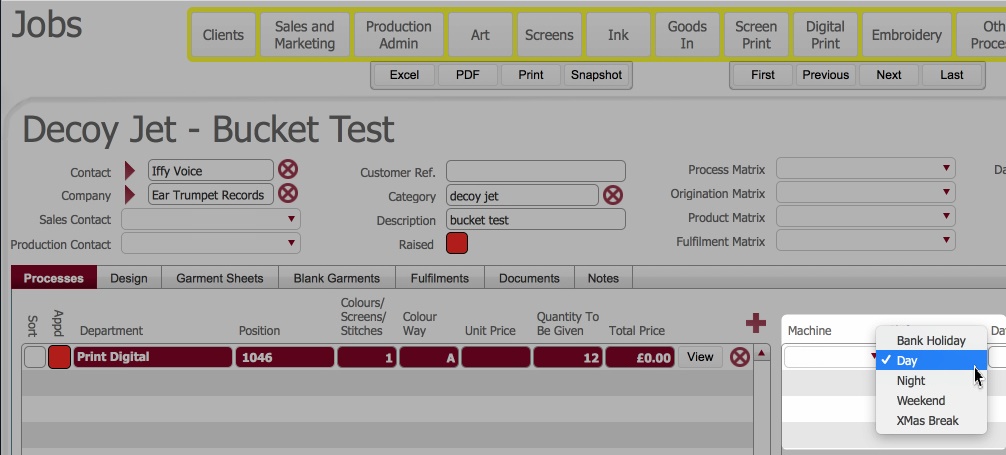
- Once created, the production shift value can be selected when adding scheduling information for process lines
Related Topics
Settings Module