Tip: The maintenance record should be in an In Progress state

- Status updated to Completed (Green)
- The end time of the task is recorded
- The duration of the task is calculated, and set as Time Taken
(Note: This calculation does not account for any time paused)
 .
. - End time is recorded appended to the records KPI tab.

- In the record's Task History tab - a record of this scheduled run is entered.
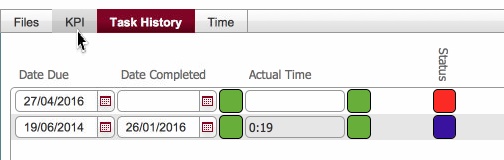
- Additionally, if the task is configured to repeat, then an entry for a future scheduling is added in Task History and in the main layout, according to the Frequency / Periodicity definitions.
