(It is likely you will use the scripted find buttons to return a foundset of records)

This topic will instruct you how to view the detailed layout for a Maintenance Task record.
Ensure that:-
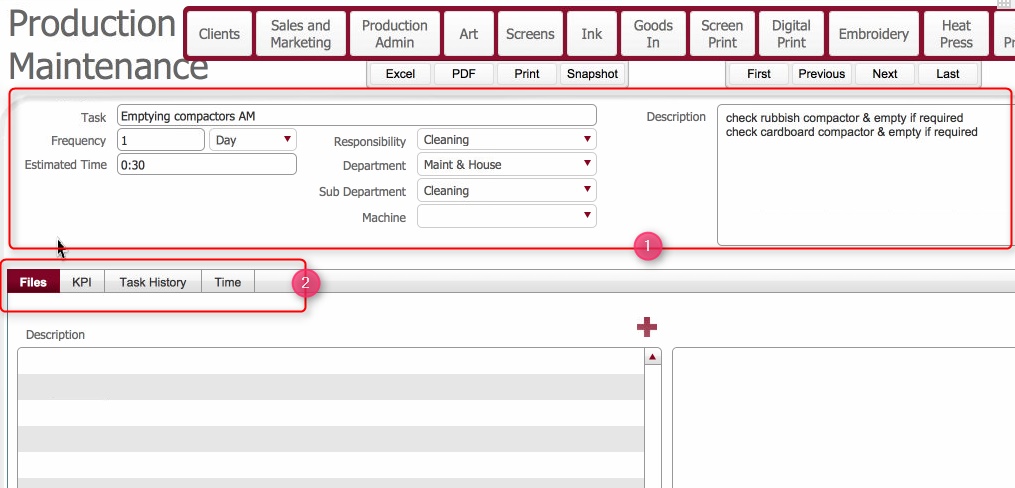
This layout is composed of the following elements:-
(1) Maintenance Task header fields
These fields were populated when the task was created. Some are updatable.
The table below summarises them.
|
Field |
Comments |
Updatable |
|
Task |
A brief header description for the task |
Yes |
|
Frequency |
These two fields work together to define how frequently within a period the task should be performed. e.g 1 per Day. |
Yes |
|
Periodicity |
||
|
Estimated Time |
The estimated duration (HH:MM) of the task. |
Yes |
|
Department |
Dropdown value to indicate the department which the task is being done on behalf of. |
Yes |
|
Sub Department |
Drop-down value to denote which Sub-department task related to. |
Yes |
|
Machine |
(If applicable) The Machine which the maintenance task relates to. |
Yes |
|
Responsibility |
Drop-down to denote to denote whom is responsible for carry out the task - whether a contractor, or the department itself |
Yes |
|
Description |
Taken from the details tab of the task. Free from field to allow detailed information to be added. |
Yes |
(2) Information Tabs
There are four information tabs on the detail record.
Files Tab: Allows you to insert files onto the record,.and/or view inserted files.
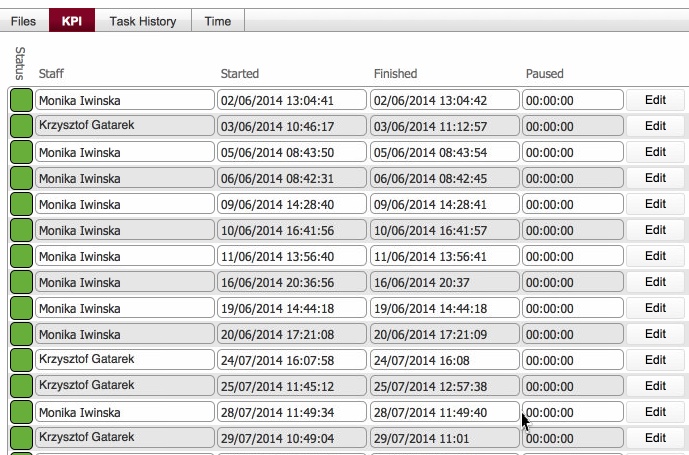
The KPI tab is updated each time the task is started, paused and finished.
It thus contains an audit log of the tasks running time history, together with the user whom performed the action. .
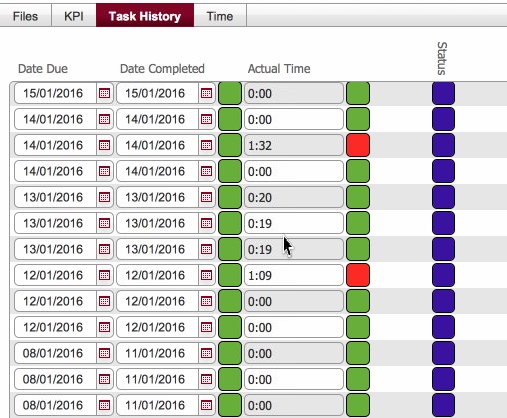
The task history tab shows an entry for each completed scheduled occurrence of the task from its creation point, together with entries for the next scheduled occurrence.
Time tab

Related Topics