Creating a Purchase Order

Background

Purchase orders are typically raised from specific areas within strokeone, and therefore pre-populated with much of the vital information (such as the requested stock line items ) necessary to place the order.

However,.it is possible that they can be created with no pre-populated stock line items on the order.


About this task

This topic will instruct you how to create a purchase order which is blank at the outset.


Prerequisites

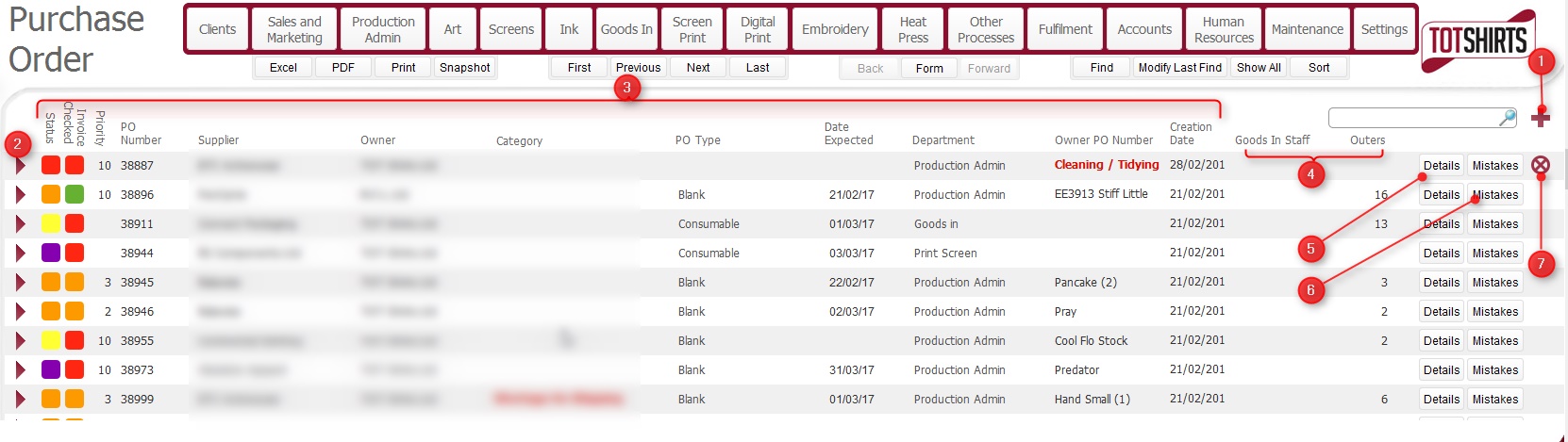
Ensure that you have navigated to the Purchase Orders layout.


Procedure

  1. Click the new record icon (1)
  2. The Purchase Order detail layout opens.


    There are two main sections that require populating - the header fields (1) and the items to be ordered.

Populating the Purchase Order headers

  1. The purchase order header fields, their meaning and the how they should be populated is fully outlined in  steps 1) to 12) in the topic Populating and Sending a Purchase Order


Adding Items to the Purchase Order


  1. The functionality to add stock line items onto a purchase order is fully outlined in steps 14) to 20) in he topic Populating and Sending a Purchase Order


Once the purchase order has been fully completed, it should be sent to the supplier.


r