Duplicating Stock Line Items
Background
There may be occasions where you wish to duplicate a stock
line item. The rationale for doing this might be:-
- You need to create a new stock line item that shares many of the
same attributes as an existing item.
- You need to create a whole series of new stock line items that
are essentially very similar, and therefore can base them off existing
source record. (In essence, use the source record as a "template"
for the destination records
Irrespective of the reason why you wish to do this, strokeone provides
you with a powerful duplication function that allows you to clone:-
- an existing single stock line
- a series of existing stock line items
It is worth noting that the functionality allows you to choose whether
you wish to clone the stock
location(s) from the source record
to the duplicate record, or not.
About this Topic
This topic outlines the steps required to duplicate existing stock line
items.
Prerequisites
Ensure that you have access to, and have opened the Stock
Items List layout.
Procedure
- By default, the Stock Item list
layout opens in find
mode, that is there are no items yet shown.
- Enter some criteria in one or more of the fields to identify the
stock line item records you're interested in duplicating, process
the find.
(See Viewing the Stock Items
List if you need more guidance)
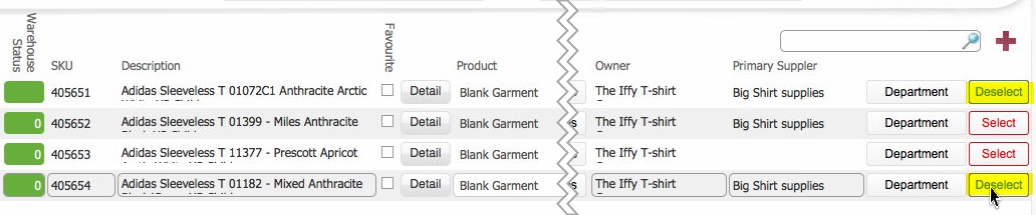
- Click the Select button
besides each stock line item that you wish to clone.
(Note how once selected, the button label text changes from
Select to Deselect)
- Now you need to decide, whether you want the new clone records
to have the same stock
locations as the source records.
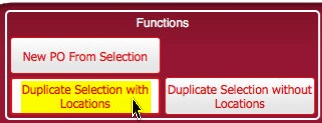
- If you do, navigate to
the Functions section at the
bottom left of the layout, and click the Duplicate
Selection with Locations button.
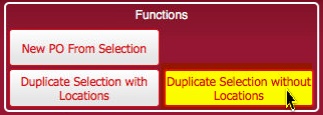
Conversely, if you do not want
the location information copied
onto the clone records, click the Duplicate
Selection without Locations button
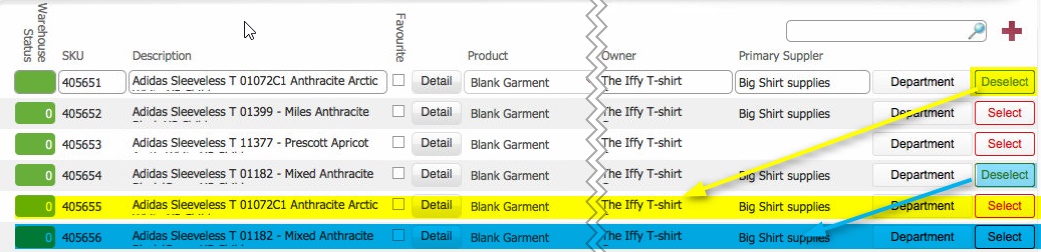
- A new cloned record is inserted for each
of the source records selected in step 3)
- The following stock
line item data values are cloned from the source record.
Click
here to see details of the data copied
- Depending on your situation, you may wish to amend some of the
data details on the new cloned stock line item to reflect your stock
line item.
(see How to create a
stock line item for information regarding the data fields and
their function on a stock line item)
Related Topics
Viewing the Stock Items List
Understanding
Stock Locations
How to create a stock
line item