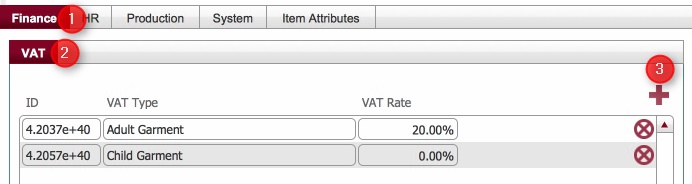
|
Field |
Comment |
|
ID |
Automatically generated system reference. |
|
VAT Type |
Enter the type of item that this VAT rate will be applicable to. |
|
VAT Rate |
Enter the Percentage rate of VAT applicable for this product type. |
VAT rates records are used in strokeone when invoicing to ensure that billable items are charged at the correct level of VAT
This topic outlines the steps necessary to create VAT rate records that can be used within strokeone.
Ensure that you have logged onto strokeone, and that you can see and access the Settings button in strokeone's home banner.
|
Field |
Comment |
|
ID |
Automatically generated system reference. |
|
VAT Type |
Enter the type of item that this VAT rate will be applicable to. |
|
VAT Rate |
Enter the Percentage rate of VAT applicable for this product type. |
Related Topics