Ensure that you select the Invoice Lines tab.
Click the add record icon to the right hand side of the portal.
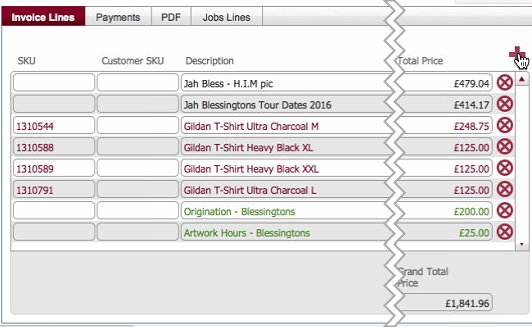
A blank data row is inserted into the portal.
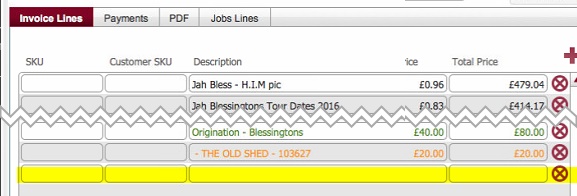
Populate the row with details of the manual charge, using the following table as a guide.
|
Field |
Comments |
|
SKU |
If relevant, populate with the internal reference number for the item. Note: SKU makes sense to include if the chargeable element that you are including is a product or service that has a definitive stock keeping reference number |
|
Customer SKU |
As per SKU, but the reference number from the customer's perspective. |
|
Description |
This is the textual field describing the chargeable element, and will be included on the invoice that gets sent to the customer. This should definitely be populated with meaningful content that the customer can understand. |
|
Nominal Code |
This reference number can be used as a cross reference for sales data to your accounts package. . |
|
Type |
This represents the category of the chargeable element. You should select the applicable type from the drop down list. |
|
VAT rate |
The VAT rate is defined in system settings. By default,when a blank row is added, VAT is deemed eligible. You can manually amend this if required. |
|
Unit Cost |
This relates to the internal cost per unit of the manual charge. It is not exposed on the customer facing invoice. |
|
Total Cost |
System calculated and not user editable. |
|
Unit Gross Profit |
System calculated and not user editable (Unit Price - Unit Cost) |
|
Total Gross Profit |
System calculated and not user editable (Quantity Produced * Unit Cost Profit) |
|
Quantity Produced |
This must be populated. It records how many units of the manual charge that will be invoiced to the customer. |
|
Unit Price |
This must be populated. It records how much each unit of manual charge cost the customer |
|
Total Price |
This is the total cost for the manual charge for the customer It is automatically calculated. |
