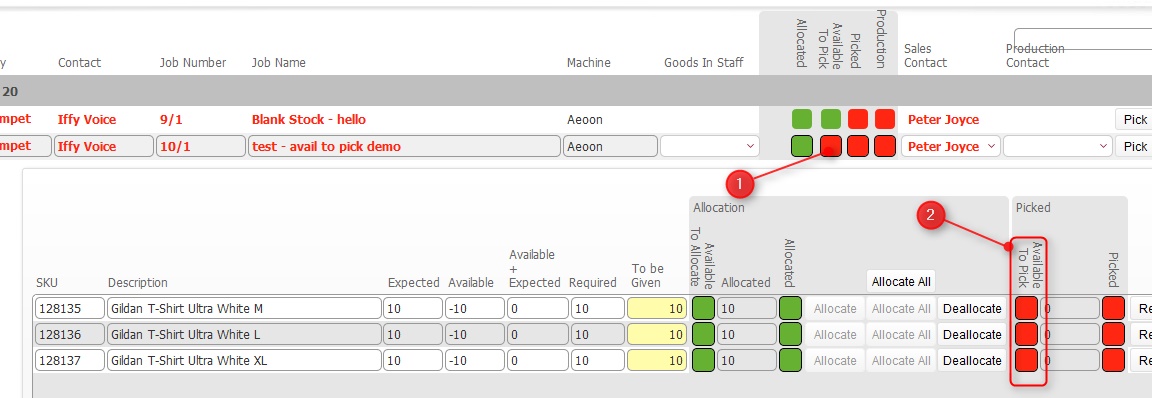
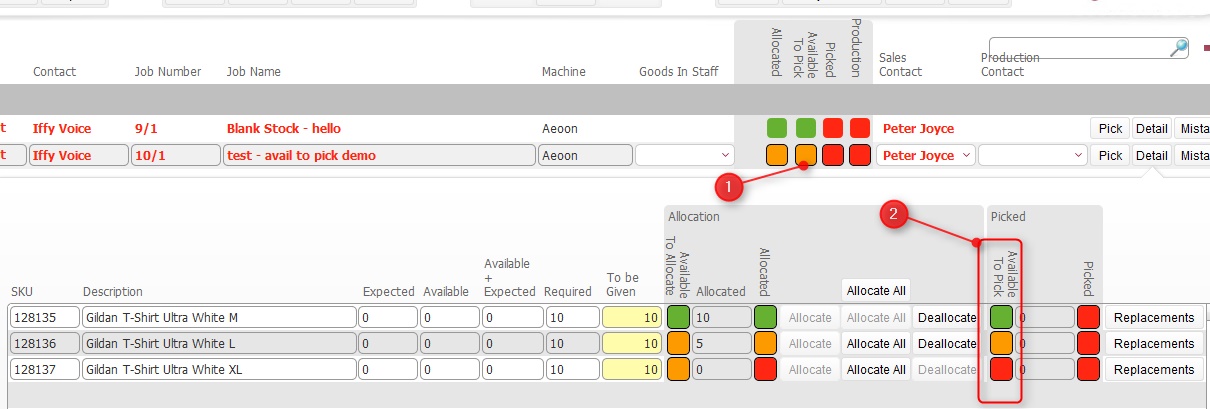
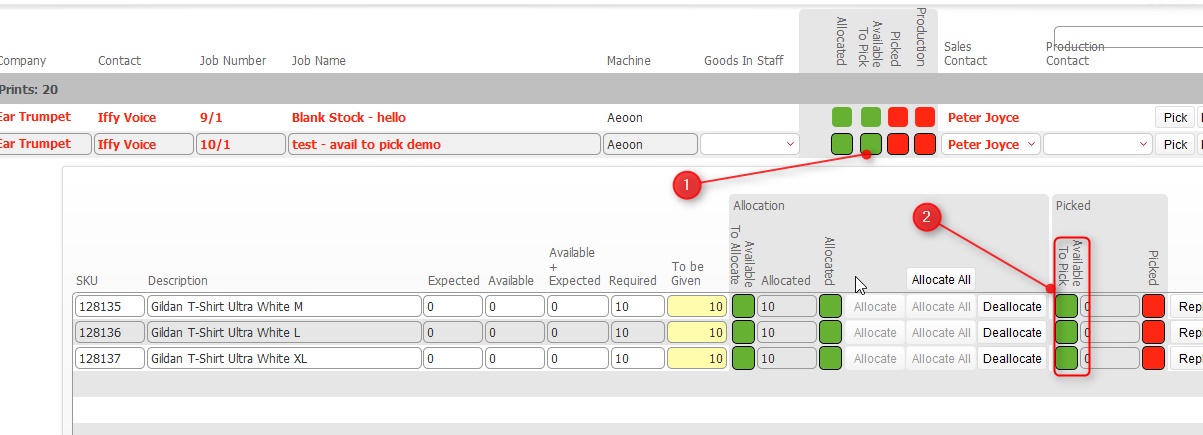
At
the Job
Order level, the Available to Pick
status light can have one of three statuses
Red:
The Available to pick status
light for Blank Garments has three statuses which are designed to
help you know when you can pick the stock required for the Job Order
This field is an aggregate status,
meaning that it is made up from the Available
to Pick statuses of all the
underlying line items that are contained on the Job Order.
Let’s look at the three possible statuses that the Available to Pick status
at Job Order can have,
and how these are made up relative to its underlying line items.
At
the Job
Order level, the Available to Pick
status light can have one of three statuses
Red:
Now that we know how the Job Order level status is set, let’s look at how the underlying line level status is derived.
It is important to understand how the Available
to Pick Status light at the line
level is set.
It is based on a comparison of the physical
available balance of the SKU
relative to the Quantity of the SKU required on the Job order (the To Be Given amount)
If the physical available balance for a SKU is equal to or in excess of the To Be Given figure then its Available to Pick light is set as Green.
If the physical available balance of a SKU is greater than zero, but less than the To Be Given figure, then the Available to Pick light is set as Amber.
If the physical available balance of a SKU is zero, then the
Available to Pick light
is set as Red
It is important to understand the following:-
The Physical Available balance represents the stock balance within stock locations in the warehouse
Quantities held physically in stock locations are not reserved as such for a job order, until they are actually picked.
Once picked, the physical available balance will debit by the amount that is picked.
This means that the physical balance and therefore the available to pick status for a SKU dynamically changes as it is picked by other job orders.
This accounting functions identically for the available to pick status
for fulfilments, and further examples are outlined in Understanding
Available to Pick Status on Fulfilments so it is recommended that
you review that topic
The situation can be summarised as follows:-
It is important to understand that the Available to Pick status on a single job is based upon the physical stock balance for SKU's contained on it, and this physical balance can be reduced by being picked on other job orders.
You therefore can have a situation where the Available to Pick status light for a single job order updates from Green to Amber or Red as the physical availability of a SKU is reduced as a result of being picked on other jobs.
Related Topics