How to View Staff Detail Record
To Do
Background
To Do
Prerequisites
Ensure that :-
Procedure
- From the home
banner, click the Human Resources
and then Staff Detail
buttons.
- The Staff
Detail list layout opens
- Find
the staff member record you wish to see detail layout for.
- Click the open
record icon for the staff record identified in step 3)
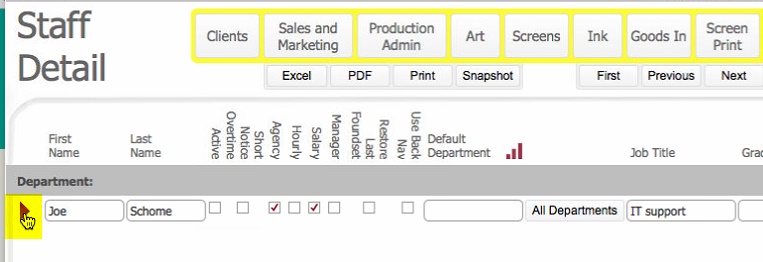
- The Staff Detail layout
opens for the selected staff member