This topic outlines the steps necessary to view the detail for Training Task record in strokeone.
The task detail may well include material such as a procedural document, a checklist, photo or video file, or a hyperlink to a document / resource
Ensure that are in the training tasks list view
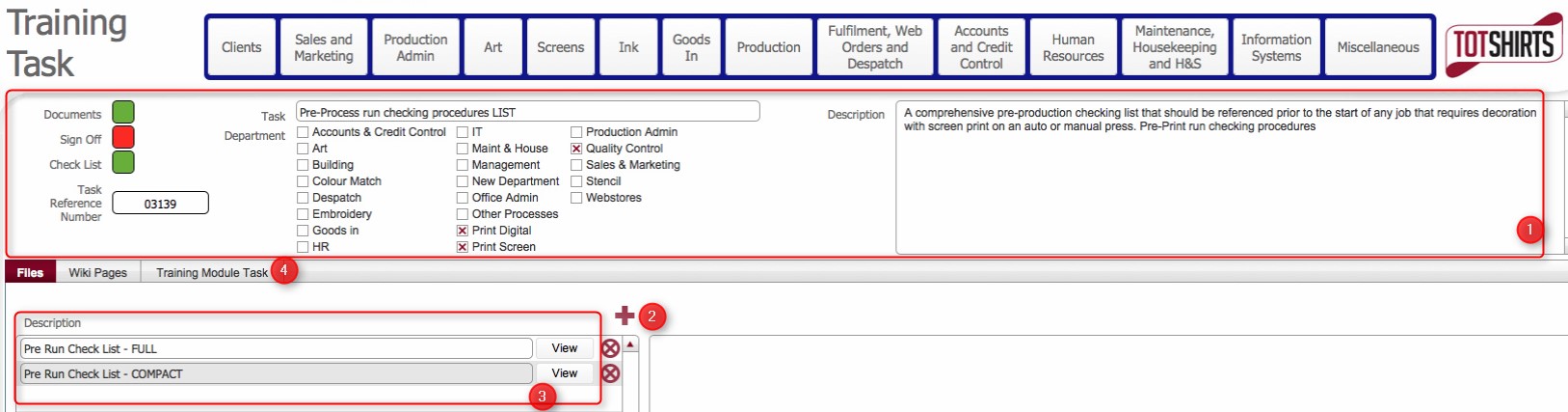
The layout is composed of the following elements
(1) Training Task Record data fields.
-
|
Field |
Instructions |
|
Documents |
A toggle field to indicate whether the training task record has documented procedures / instructions |
|
Sign Off |
A toggle field to indicate whether the content of the training task record has been signed off. |
|
Check List |
A toggle field to indicate whether the training task record has a checklist. |
|
Task Reference Number |
An automatically generated reference number assigned to the training task record when it was created. |
|
Creation Date |
The time stamp of when the training task record was created. |
|
Task |
The title of the Task |
|
Department Button |
A series of check boxes to denote what departments that this task is related to. |
|
Description |
A brief description of what the task refers to. |
(2) Add new materials record. Clicking the new record icon will allow you to associate training material files to the Training Task Record.
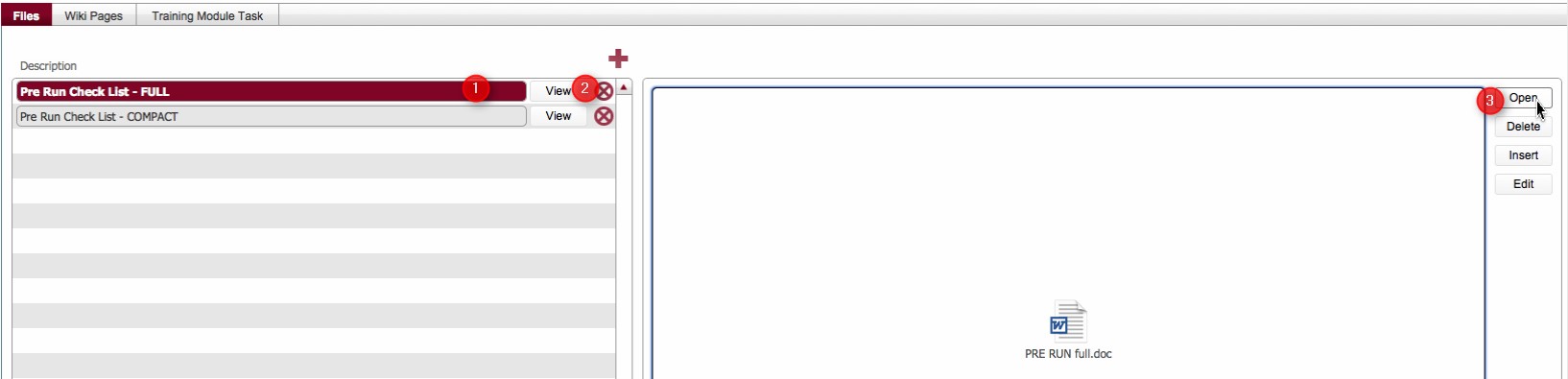
(3) List of Training materials that have been associated to the Task Training record.
How to view the associated Training Materials
Related Topics
How to Associate Training Material to a Training Task Record