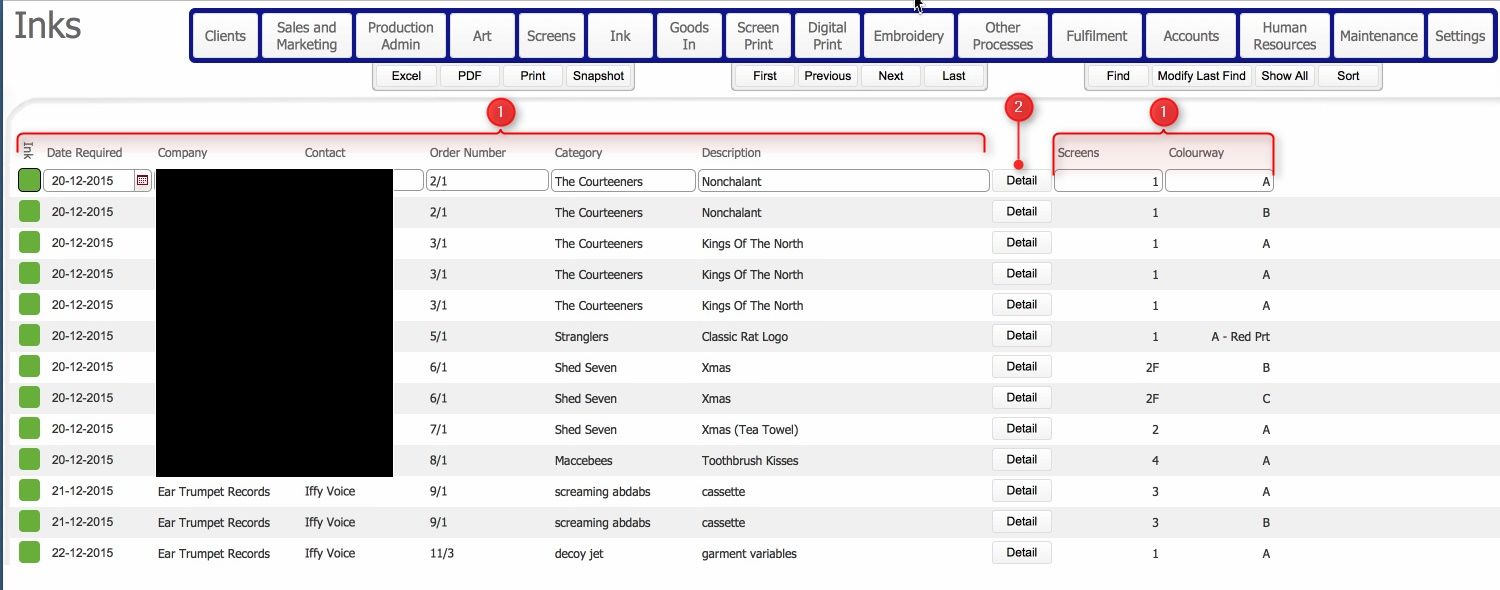
The Inks layout outlines those process lines that require ink (typically screen printing jobs), and shows the status of the particular ink(s).
Additionally it allows the user to navigate to the ink detail record, and update the manufacturing status to record that the required inks have been made.
This topic will instruct you how to navigate to, understand the contents of, and the actions allowable from, the Inks layout.
Ensure that:-
This layout lists all the job process lines that require ink, (grouped by order number and set of screen by Colourway), together with the current aggregate status of the underlying required inks on the job process..
The layout is composed of the following elements
(1) Data Fields for the Process Line that Ink is required on.
|
Field |
Comments |
|
Status |
Indicates the aggregate status of the Ink(s) manufacture for the job process line. |
|
Date Required |
The date by which the ink needs to be made up / mixed This date is taken from the Tech Specs.. |
|
Company |
The entity whom placed the job order. |
|
Contact |
The contact person for the Company |
|
Order number |
The internal reference number for the job order which has the process line requiring ink. |
|
Category |
The category and description fields taken from the job order. These two fields provide information as to which group the job order is for, and what the actual content of the job order is. |
|
Description |
|
|
Detail button |
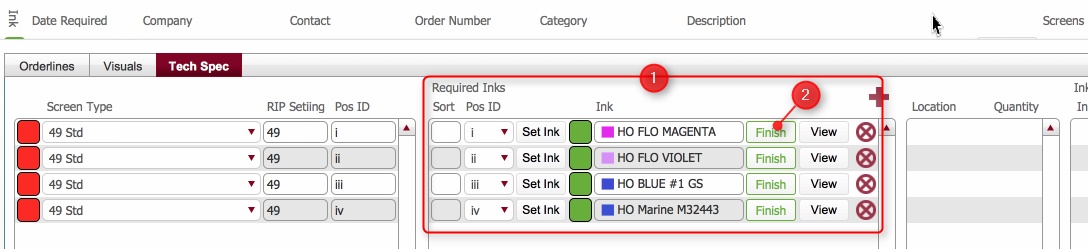
Opens a pop up from showing the actual inks required, and allowing you to update their manufacturing state. |
|
Screens |
The quantity of screens in the process line |
|
Colour Way |
The ColourWay for the Process line |
(2) Detail button - Clicking this button will open a pop up window detailing the Required Inks (1) for the process line, together with a Finish action button (2) to allow you to record that the required ink have been made.
Related Topics
Updating the Ink Required record as Finished