(Note: for this topic certain field values have been deliberately obscured in the screen-shots)
Customers may from time to time request information regarding their invoice status.
For example, the history of invoices sent to them, including the amount of the invoice, what job it was in respect of, whether it has been settled, and whether there are any payments that have been made that are yet to be allocated.
strokeone provides a real time Invoice Statement report to service such requests
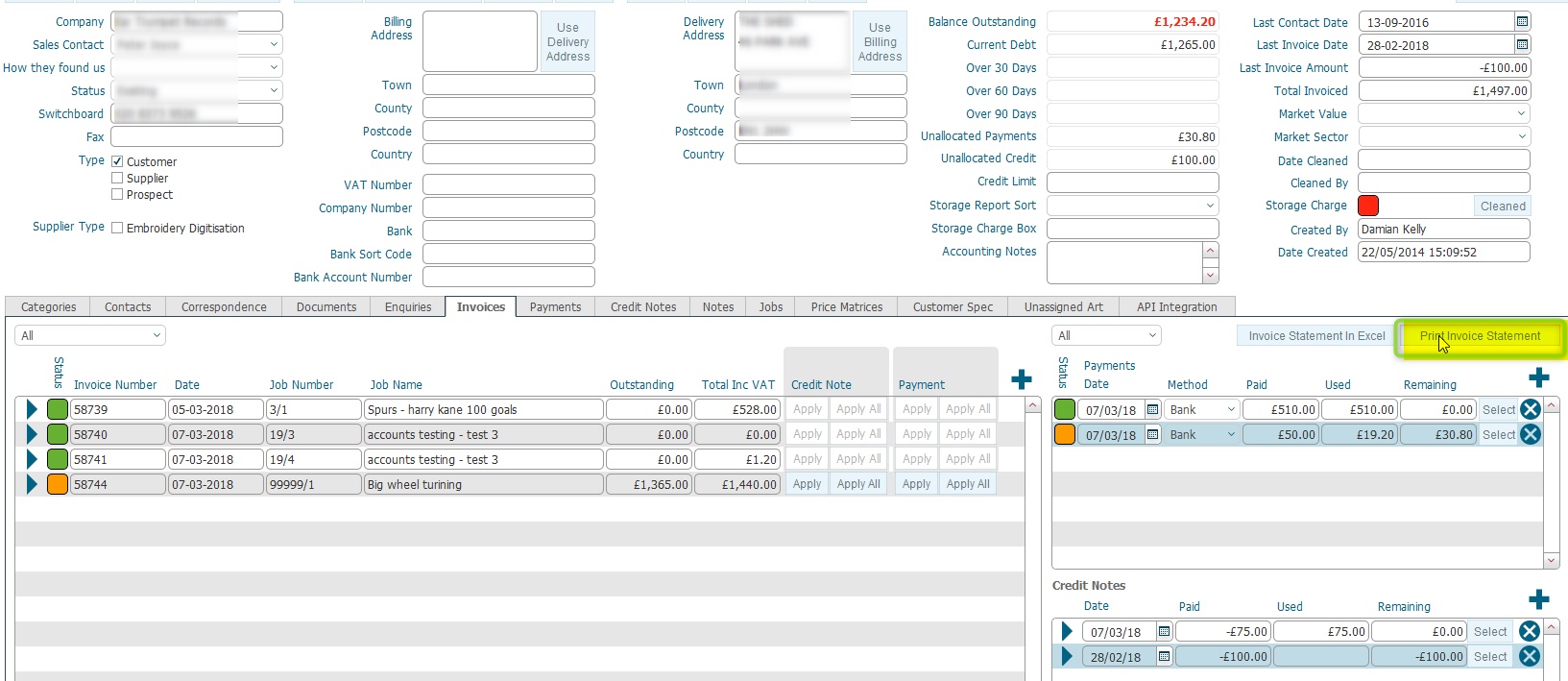
Ensure that you have logged onto strokeone, and have opened the detailed layout of the company that you wish to run an Invoice Statement for.
(Note: for this topic certain field values have been deliberately obscured in the screen-shots)
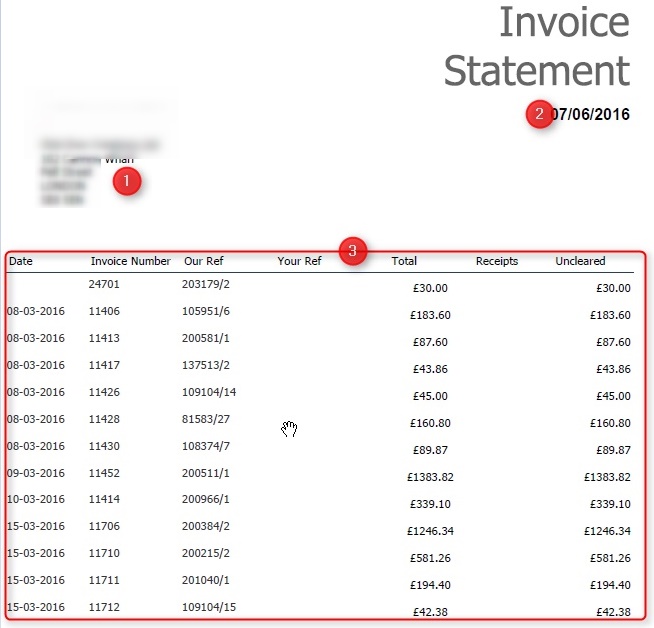
The statement
contains the following sections
Header Section |
||
Item |
Field |
Comments |
1 |
Address |
Company Address Details |
2 |
Date |
Date report was generated |
Body Section |
||
Item |
Field |
Comments |
3 |
Date |
The Date the invoice was sent. |
3 |
Invoice Number |
The internal reference number for the invoice. |
3 |
Our Ref |
The internal reference number for the job order that the invoice was raised in respect of. |
3 |
Your Ref |
The client's reference for the job order. |
3 |
Totals |
The total amount of the invoice |
3 |
Receipts |
The amount (if any) that has been paid on the invoice. |
3 |
Uncleared |
The current outstanding amount on the Invoice |
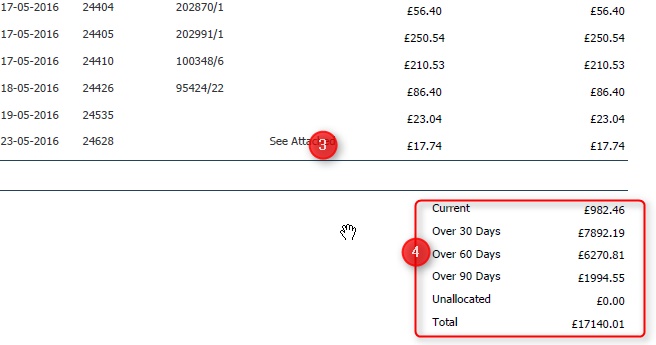
Footer Section |
||
Item |
Field |
Comments |
| 4 | Current |
Calculated field: @sum of Outstanding Amounts on invoices dated < 30 days |
| 4 | Over 30 days |
Calculated field: @sum of Outstanding Amounts on invoices dated > 30 but <60 days |
| 4 | Over 60 days |
Calculated field: @sum of Outstanding Amounts on invoices dated > 60 but <90 days |
| 4 | Over 90 days |
Calculated field: @sum of Outstanding Amounts on invoices dated >90 days |
| 4 | Unallocated |
Calculated field:@sum of Remaining Amounts on received payments. |
| 4 | Total |
Calculated as @sum of (Current, Over 30 days,. Over 60 days, Over 90 days) minus Unallocated |
Related Topics