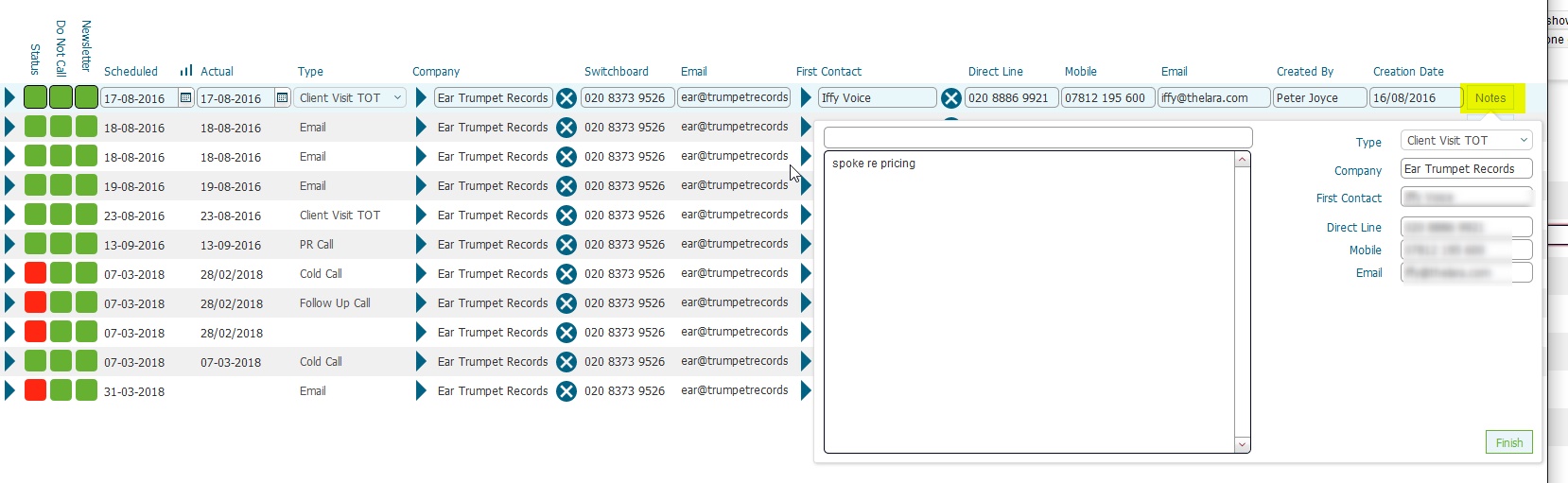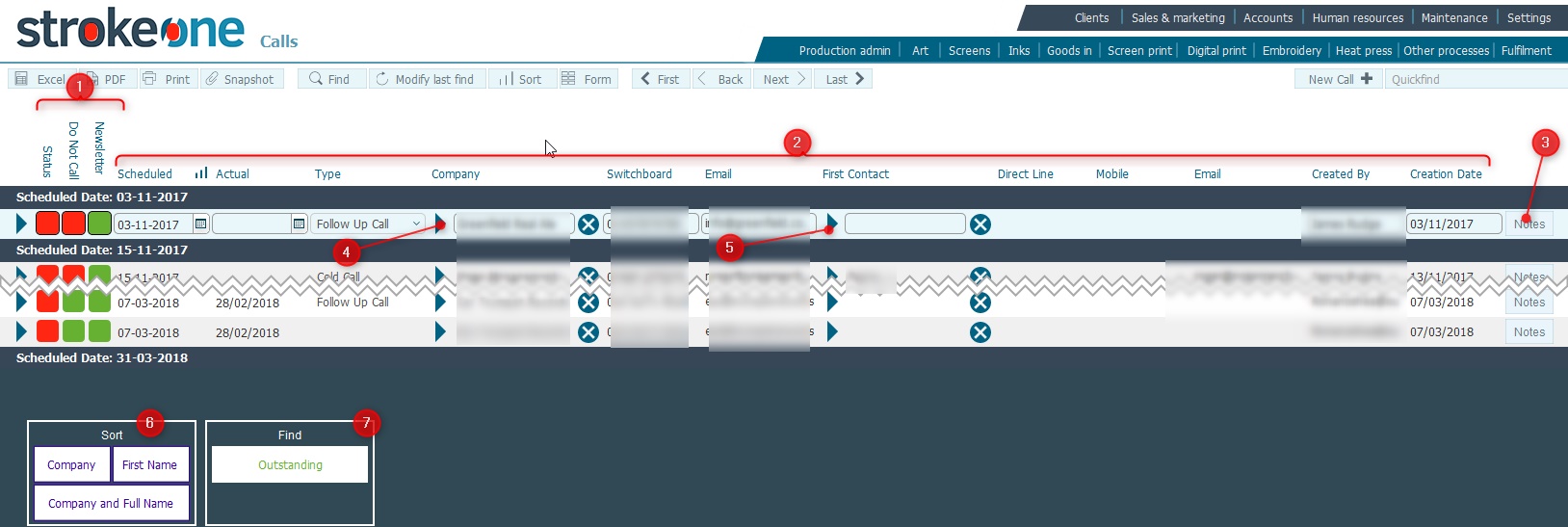
The Calls List layout details the call records that have been scheduled for clients.
This topic will instruct you how to navigate to, understand the contents of, and the actions allowable from, the Calls List Layout
(Note: for this topic certain field values have been deliberately obscured in the screen-shots)
Ensure that:-
(Note: In the below sections/text, the numbers in (bold parenthesis) refer to the annotations in the above screen-shot)
(Note: for this topic certain field values have been deliberately obscured in the screen-shots)
The layout is composed of the following elements
(1) Preference Toggle lights: the values for these lights are taken from the corresponding company and denote the following:-
Status: shows the status of the actual call. When a call is completed, this will update to green.
Do Not Call: whether a company should be contacted.
Newsletter:
whether they should receive a mailshot newsletter.
(2) Data Fields for the Call Records
Field |
Comments |
Scheduled |
The date the call is scheduled for. |
Actual |
The actual date the call occurred. |
Type |
The Type of call, i.e. PR Call, Cold Call etc. |
Company |
The company that the call is scheduled with. |
Switchboard |
The switchboard number for the company |
The email address for the contact that the company |
|
First Contact |
The contact person at the company. |
Direct Line |
Phone number from the contact. |
Mobile |
Mobile number from the contact. |
The email address for the contact. |
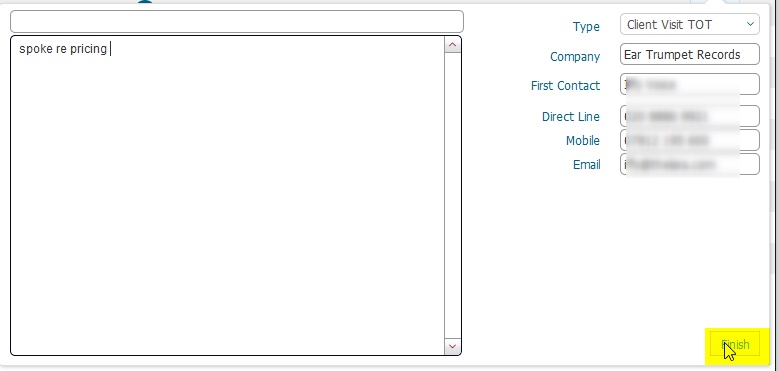
(3) Notes button: Clicking this will display a pop up form which :-
Displays / allows you to enter information regarding the call,
Close the call record, i.e.
Set the call record Status as complete
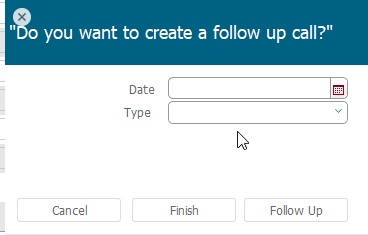
Optionally, schedule a
future call record.
Click for
example
(4) Will navigate you to the corresponding
Company Detail
record
(5) Will navigate your to the Contact Detail
record
(6) Scripted sort buttons. Clicking
one of the buttons will cause the found set of records to be sorted by
the criteria outlined on the button label text.
(7) Find Outstanding button: Clicking
this will return a found set of call records where their Status
<> Completed., sorted by descending Scheduled Date.
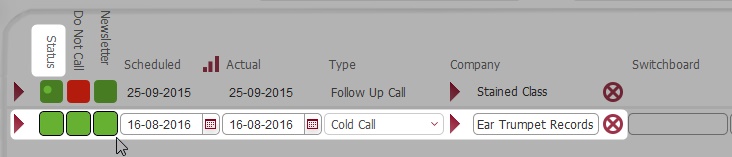
(8) Will allow you to add
/ schedule a record to call a company.
Dev: This
add record function does not work as expected (Aug 2016) - bug raised
Related Topics
Scheduling a Call with a Company